









Best Gaming TV in Pakistan 2026 Budget Friendly

The Ultimate Budget-Friendly Buyer’s Guide
The video gaming ecosystem in Pakistan has experienced massive growth over the past few years. With the widespread adoption of PlayStation 5, Xbox Series X, Xbox Series S, and custom-built budget gaming PCs in major urban hubs like Karachi, Lahore, Islamabad, and Rawalpindi, the expectations placed on television displays have fundamentally shifted. Gamers no longer view a television merely as a passive screen for broadcast news or drama serials; it is now an active gaming display where response times, frame rates, and visual processing dictate competitive success.
Playing fast-paced, graphically demanding games on a legacy 60Hz 1080p television introduces noticeable input lag, motion blurring, screen tearing, and muddy high-dynamic-range (HDR) rendering. Upgrading your visual setup no longer requires spending massive sums of money on elite, flagship OLED displays. In 2026, Pakistani consumers have access to feature-packed, gaming-oriented smart TVs equipped with native 120Hz or 144Hz refresh rates, HDMI 2.1 connectivity, Variable Refresh Rate (VRR), Auto Low Latency Mode (ALLM), and Quantum Dot (QLED) or Mini-LED backlight arrays.
This exhaustive guide provides an in-depth analysis of the best budget-friendly gaming TVs available in Pakistan in 2026 from three prominent local market contenders: TCL, Haier, and Dawlance. We explore specific model numbers, core hardware architectures, real-world frame performance, game compatibility lists, and detailed comparison tables to guide your purchasing decision.
Technical Fundamentals: What Makes a TV Suitable for Gaming?
Before evaluating individual brands and model numbers, it is critical to understand the hardware parameters that determine gaming display performance:
1. Refresh Rate (Hz) and Frame Rate (FPS)
Refresh rate, measured in Hertz (Hz), defines how many times per second a TV panel draws a new image. A standard television operates at 60Hz, capping game performance at 60 frames per second (FPS). Modern gaming panels offer native 120Hz or 144Hz refresh rates, which double or triple image fluidity. High refresh rates make fast camera movements smoother and reduce motion blur in high-octane multiplayer games.
2. HDMI 2.1 Bandwidth
HDMI 2.1 provides a massive increase in transmission bandwidth (up to 48Gbps) compared to older HDMI 2.0 ports (18Gbps). This extra bandwidth is required to carry uncompressed 4K video signals at 120Hz or 144Hz while simultaneously transmitting high-bitrate HDR color metadata and uncompressed Dolby Atmos audio.
3. Variable Refresh Rate (VRR) and AMD FreeSync
During intense gameplay, a console or graphics card may fluctuate in frame delivery (for example, dropping from 120 FPS to 90 FPS). On a traditional fixed-refresh screen, this mismatch causes visual screen tearing or stuttering. Variable Refresh Rate dynamically aligns the TV screen’s refresh rate with the incoming framerate from your console in real time, guaranteeing a tear-free visual stream.
4. Auto Low Latency Mode (ALLM)
Input lag is the time delay between pressing a button on your controller and seeing that action execute on screen. Standard TV picture processing adds 50ms to 100ms of lag. ALLM automatically detects when a console or PC is powered on and forces the television into its dedicated low-latency “Game Mode,” dropping total input lag down below 15ms.
5. Display Backlighting: QLED vs. Mini-LED vs. Standard LED
- Direct-Lit LED: Standard backlighting offering decent brightness but limited contrast control.
- QLED (Quantum Dot LED): Utilizes a microscopic layer of quantum dots to produce significantly higher color volume, punchier greens and reds, and higher peak brightness.
- Mini-LED: Replaces massive LED backlights with thousands of miniature diodes grouped into independent local dimming zones. This technology delivers true dark levels, minimal light blooming, and bright highlights close to OLED performance without burn-in risks.
Brand-by-Brand Deep Dive & Model Selection
1. TCL Gaming TVs: Market Leader in High Refresh Rate Value
TCL has established a strong presence in Pakistan’s home display market by offering high-end panel specs at accessible mid-tier prices.
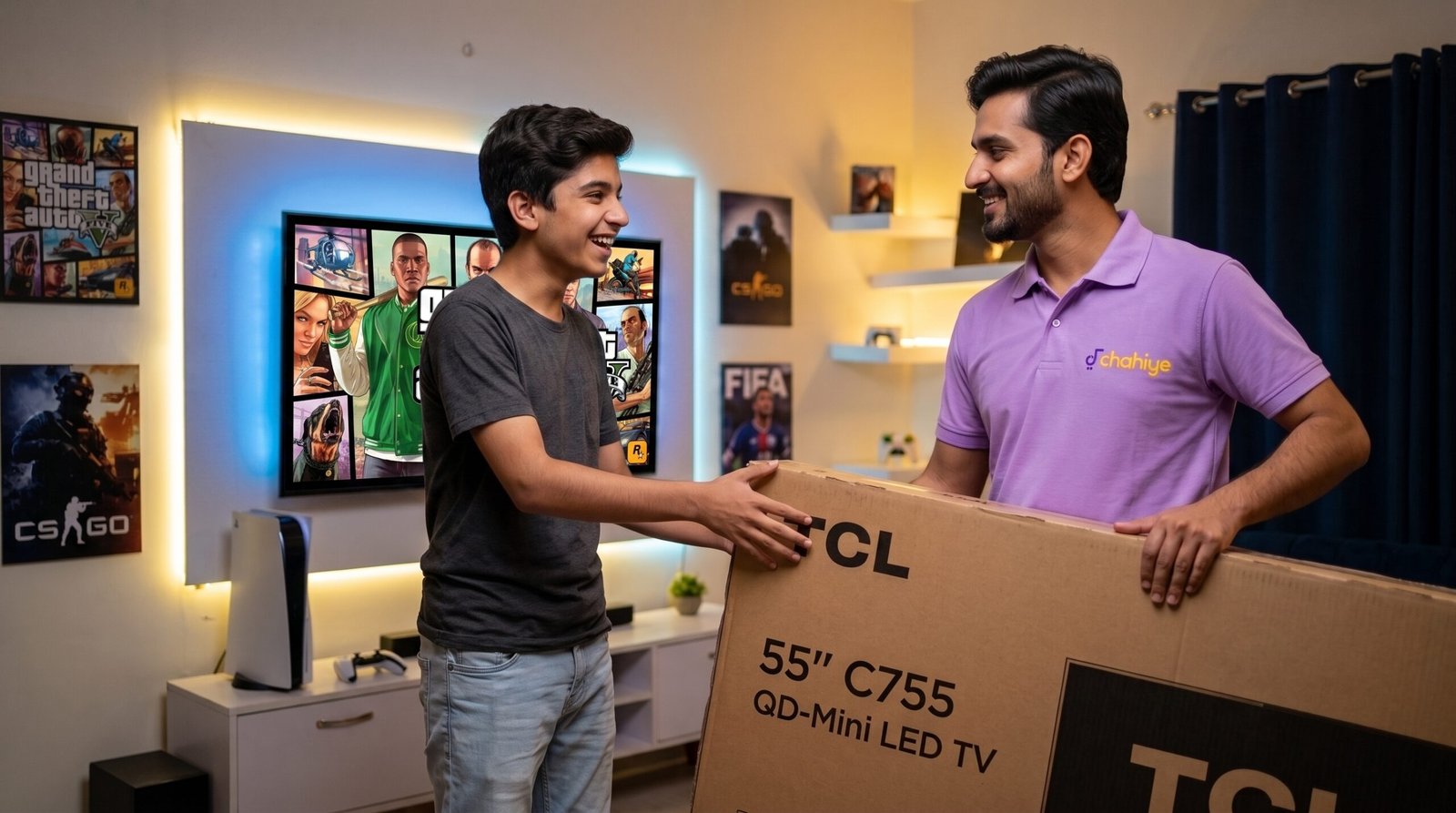
A. TCL C755 / C7K Series (QD-Mini LED 144Hz)
- Target Audience: Enthusiast console and PC gamers seeking elite display performance at a competitive price point.
- Key Specs: 4K UHD resolution, Quantum Dot Mini-LED panel, native 144Hz refresh rate, 1000+ nits peak brightness, Full Array Local Dimming (FALD), HDMI 2.1 ports (4K@144Hz), AMD FreeSync Premium Pro, Game Master overlay, Dolby Vision IQ.
- Why It Leads for Gaming: The TCL C755 (and its successor C7K series) is one of the most affordable native 144Hz local-dimming displays in Pakistan. It provides deep black levels, minimal light haloing, and crisp motion tracking. The built-in TCL Game Master dashboard gives you real-time status readouts for FPS, HDR mode, VRR engagement, and input latency.
- Top Game Compatibility:
- Call of Duty: Black Ops 6 / Warzone (Runs seamlessly at 120FPS with minimal controller latency).
- Cyberpunk 2077 (Mini-LED local dimming illuminates night markets, vehicle headlights, and shadows with rich contrast).
- Forza Horizon 5 (Native 144Hz response maintains sharp environment rendering during extreme speeds).
B. TCL C655 / C6K Series (QLED 4K Google TV)
- Target Audience: Mainstream budget gamers who want vibrant QLED color rendition and high-frame-rate options.
- Key Specs: 4K QLED Display, 120Hz Dual Line Gate (DLG) Game Accelerator, AiPQ Processor 3.0, Quantum Dot 100%+ color volume, HDMI 2.1 with eARC support, Dolby Vision & Dolby Atmos.
- Why It Leads for Gaming: The C655 employs TCL’s 120Hz DLG technology to enable 120Hz gaming at 1080p and 1440p resolutions. Quantum Dot technology creates vibrant color rendering for animated or stylized game environments.
- Top Game Compatibility:
- EA Sports FC 26 (FIFA) (Smooth ball movement and clear turf detail during rapid counter-attacks).
- Tekken 8 (Low input latency ensures combos and frame counters execute reliably).
- GTA V & GTA VI (Rich color output highlights skybox lighting, ocean reflections, and urban neon signage).
C. TCL P755 / P8K Series (4K UHD Google TV)
- Target Audience: Entry-level budget gamers looking for an affordable gateway into clean 4K console gaming.
- Key Specs: 4K UHD display, 60Hz native refresh rate, MEMC motion handling, HDR10 support, Google TV OS.
- Why It Leads for Gaming: This series provides stable 4K 60Hz performance for players focused on single-player campaign games where high refresh rates are not required.
- Top Game Compatibility:
- God of War Ragnarök
- The Last of Us Part II Remastered
- PUBG (Console Edition)
2. Haier Gaming TVs: Superior Brightness & Motion Clarity
Haier has emerged as a strong contender in Pakistan’s home electronics market, pairing bright QLED and Mini-LED panels with solid audio systems and competitive pricing.
A. Haier H55M80FUX / H65M80FUX Mini-LED Series
- Target Audience: Gamers who demand high HDR peak brightness and high-contrast panel performance.
- Key Specs: 4K Mini-LED panel, 120Hz refresh rate engine, Full Array Local Dimming, HDMI 2.1 connectivity, Dolby Vision IQ, 3GB RAM + 32GB Storage, Google TV OS.
- Why It Leads for Gaming: Featuring local dimming zones and an upgraded 3GB system memory, the M80FUX prevents system slowdowns during long gaming sessions while preserving shadow details in competitive tactical shooters.
- Top Game Compatibility:
- Gran Turismo 7 / Need for Speed Unbound (Clean motion rendering without ghosting during night races).
- Call of Duty: Warzone (Local dimming keeps enemy targets visible in dimly lit building interiors).
- Fortnite (High peak brightness makes cartoon lighting and magical effects stand out).
B. Haier H55S80EUX / H65S80EUX Series (4K QLED)
- Target Audience: Gamers seeking Quantum Dot color depth at a moderate price point.
- Key Specs: 4K QLED panel, MEMC 120Hz motion smoothing, Frameless Bezel Design, Dolby Audio, Google Assistant Integration.
- Why It Leads for Gaming: The S80EUX series balances wide viewing angles with vibrant QLED color saturation. Its low input latency in Game Mode provides a responsive experience across sports titles and fighting games.
- Top Game Compatibility:
- EA Sports FC 26 (FIFA)
- Mortal Kombat 1
- Spider-Man 2
3. Dawlance Gaming TVs: Reliable Local Assembly & Extended Warranty Coverage
Dawlance is a trusted domestic appliance brand in Pakistan. Their modern smart TV range emphasizes localized quality control, reliable power supply regulation, and accessible nationwide service centers.
A. Dawlance Canvas Series (Models: 50G3A Pro, 55G3AP, 65G3A Pro)
- Target Audience: Budget-conscious Pakistani buyers looking for smooth 4K 60FPS gaming, strong build quality, and easy warranty claims.
- Key Specs: 4K UHD panel (3840 x 2160), HDR10+ support, Dolby Vision, Quad-Core Processor with 2GB RAM + 16GB Storage, Low-Latency Game Mode, Google TV OS.
- Why It Leads for Gaming: Many entry-level budget TVs suffer from UI lag and frame drops due to low hardware RAM. Dawlance equips the Canvas series with a robust Quad-Core processor and 2GB of hardware RAM, ensuring stable 60Hz rendering and responsive controller inputs.
- Top Game Compatibility:
- EA Sports FC 26 (FIFA) (Delivers clean 60FPS performance with low controller delay).
- Tekken 8 (Consistent signal processing ensures reliable execution of combos and blocks).
- GTA V (Solid 4K upscaling and natural color tuning across open-world environments).
B. Dawlance Radiant G22 Series (Models: 43G22, 50G22, 55G22)
- Target Audience: Entry-level 4K gamers utilizing PlayStation 4, Xbox One, or budget 1080p/4K PC builds.
- Key Specs: 4K UHD Resolution, HDMI 2.0 ports, Dolby Audio decoding, Google TV platform, energy-efficient power draw.
- Why It Leads for Gaming: An affordable option for bedrooms and smaller gaming spaces. It provides stable 4K picture output and clear audio processing for casual daily play.
- Top Game Compatibility:
- Minecraft
- Fortnite (60 FPS Console Mode)
- Assassin’s Creed Mirage
Detailed Technical Comparison Tables
To assist you in evaluating these options side by side, review the following comparison matrices:
Table 1: Comprehensive Specification Matrix
Brand & Model Number | Display Tech | Native / Mode Refresh Rate | HDMI Version | VRR & ALLM Support | System Memory | Sound Output | Primary Strengths |
TCL C755 / C7K | QD-Mini LED | 144Hz Native | HDMI 2.1 | Yes / Yes | 3GB RAM / 32GB | 30W Onkyo / Dolby Atmos | Best for competitive 120FPS+ FPS games & HDR dark levels |
TCL C655 | QLED | 60Hz (120Hz DLG) | HDMI 2.1 (eARC) | Yes / Yes | 2GB RAM / 16GB | 20W Dolby Audio | Excellent color volume; 120Hz gaming at 1080p/1440p |
TCL P755 | 4K LED | 60Hz Native | HDMI 2.0 / 2.1 | Basic ALLM | 2GB RAM / 16GB | 20W Stereo | Budget 4K entry point for single-player adventure titles |
Haier H55M80FUX | Mini-LED | 120Hz Native | HDMI 2.1 | Yes / Yes | 3GB RAM / 32GB | 30W Dolby Atmos | High peak HDR brightness & local dimming performance |
Haier H55S80EUX | QLED | 60Hz (120Hz MEMC) | HDMI 2.0 / 2.1 | ALLM Supported | 2GB RAM / 16GB | 20W DBX-TV | Rich contrast, vivid visuals, and fast app response |
Haier H50K800UG | 4K LED | 60Hz Native | HDMI 2.0 | Basic Game Mode | 2GB RAM / 16GB | 20W Dolby Audio | Affordable, frameless design for casual multiplayer gaming |
Dawlance 55G3AP Canvas | 4K UHD LED | 60Hz Native | HDMI 2.0 | Low Input Lag Mode | 2GB RAM / 16GB | 20W Dolby Audio | Smooth UI, low controller latency, and domestic warranty |
Dawlance 50G22 Radiant | 4K UHD LED | 60Hz Native | HDMI 2.0 | Basic Low Latency | 2GB RAM / 16GB | 20W Stereo | Economical 4K choice for bedroom console configurations |
Table 2: 2026 Price Tier & Market Positioning in Pakistan
Pricing Tier | Price Range (PKR) | Recommended Models | Target Gaming Profile |
Premium High-Frame-Rate Tier | PKR 240,000 – 350,000+ | TCL C755 / C7K, Haier H55M80FUX Mini-LED | Competitive FPS, 4K@120Hz PS5 / Xbox Series X & high-end PC rigs |
Mid-Range Quality & Performance Tier | PKR 135,000 – 210,000 | TCL C655 QLED, Haier H55S80EUX, Dawlance 65G3A Pro | Balanced usage: open-world RPGs, high-color games, sports, and movies |
Value Budget Tier | PKR 85,000 – 135,000 | Dawlance Canvas 50G3A Pro, TCL P755, Haier H50K800UG | Entry-level 4K 60FPS gaming for sports, fighting, and casual titles |
Table 3: Game Genre vs. Recommended Display Pairing
Game Genre | Essential Display Attribute | Top Recommended Models | Key Titles Covered |
First-Person Shooters (FPS) | 120Hz/144Hz panel, VRR, <10ms latency | TCL C755 / C7K, Haier M80FUX | Call of Duty: Warzone, Black Ops 6, Apex Legends, Fortnite |
Open-World & Action RPGs | Local dimming, high peak brightness, QLED/Mini-LED | TCL C755, Haier H55S80EUX | Cyberpunk 2077, God of War Ragnarök, GTA VI, Ghost of Tsushima |
Sports & Racing Games | MEMC motion clarity, steady 60/120 FPS output | Dawlance Canvas 50G3A Pro, TCL C655, Haier S80EUX | EA Sports FC 26 (FIFA), Forza Horizon 5, Gran Turismo 7 |
Fighting & Arcade Games | Low input lag, immediate controller response | Dawlance Canvas 50G3A Pro, Haier H50K800UG, TCL P755 | Tekken 8, Mortal Kombat 1, Street Fighter 6 |
Step-by-Step Optimization Guide for Console and PC Setup
To achieve the lowest input latency and cleanest motion on your budget gaming TV, execute these calibration steps:
Step 1: Force Picture Mode to “Game Mode”
On your TV remote, navigate to Settings -> Picture -> Picture Mode and explicitly select Game Mode. This disables extra post-processing filters (such as digital noise reduction, edge sharpening, and motion smoothing) that cause controller latency.
Step 2: Configure HDMI Port Capabilities
Modern smart TVs often default their HDMI physical inputs to an older legacy standard (HDMI 1.4/2.0) to preserve compatibility with older set-top boxes.
- Open Settings -> Inputs / External Devices -> HDMI Format.
- Switch the selected HDMI port from Standard Mode to Enhanced / Extended / HDMI 2.1 Format.
- This step activates 4K @ 120Hz output, full uncompressed HDR color ranges, and VRR functionality from your PS5, Xbox Series X, or graphics card.
Step 3: Run Hardware HDR Calibration
- Boot your console (PS5 or Xbox Series X).
- Navigate to Console Settings -> Screen & Video -> Adjust HDR.
- Adjust the black levels and white brightness patterns according to the screen instructions until the test logos match the guidelines. This prevents washed-out dark scenes and clipped bright highlights during gameplay.
Final Purchasing Verdict for Pakistani Gamers
- Choose TCL (C755 or C655) if you want high refresh rates (120Hz/144Hz), HDMI 2.1 features, and high panel performance for competitive online FPS games.
- Choose Haier (H55M80FUX or H55S80EUX) if you prioritize high QLED color depth, high peak HDR brightness, and smooth motion handling for open-world games and sports titles.
- Choose Dawlance (Canvas 50G3A Pro or 55G3AP) if you want an affordable, reliable 4K TV backed by an extensive nationwide warranty network, low input latency, and steady 60FPS console output.
For a closer look at the latest screen sizes and features, check out this Haier TV 2026 Buying Guide. This video provides helpful visual context on screen sizing, smart interfaces, and picture performance across current TV models.
Frequently Asked Questions (FAQs)
Q1. Which is the best budget gaming TV in Pakistan in 2026? +
The best overall budget gaming TV in Pakistan is the TCL C655 QLED Series, as it offers an optimal balance of Quantum Dot colors, low input lag, and 120Hz Game Accelerator (DLG) technology at an affordable price. For users on a strict budget, the Dawlance Canvas 50G3A Pro is a reliable 4K 60Hz alternative with nationwide warranty support.
Q2. Can I play PS5 or Xbox Series X games at 120FPS on a budget TV in Pakistan? +
Yes, but you need a TV that supports HDMI 2.1 and a native 120Hz/144Hz panel (such as the TCL C755 or Haier H55M80FUX), or a TV with 120Hz DLG technology (like the TCL C655 at 1080p/1440p). Standard 60Hz 4K TVs will cap your games at 60FPS.
Q3. What is the difference between QLED and Mini-LED for gaming? +
Enter the answer here.a
QLED uses Quantum Dots to boost color brightness and gamut, offering vibrant visuals in colorful games like Fortnite or EA Sports FC 26. Mini-LED uses thousands of tiny LED backlights grouped into local dimming zones, producing true deep black levels, higher peak HDR brightness, and minimal halo effect around bright objects in dark games like Cyberpunk 2077.
Q4. Why is Auto Low Latency Mode (ALLM) important for gaming TVs? +
ALLM automatically detects when your gaming console (PlayStation, Xbox, or PC) is turned on and instantly switches the television into its low-latency Game Mode. This bypasses unnecessary video post-processing to reduce controller input lag below 15 milliseconds for near-instant button response times.
Q5. Are Dawlance smart TVs good for console gaming? +
Yes, the Dawlance Canvas Series (e.g., 50G3A Pro, 55G3AP) is well-suited for 4K 60FPS console gaming on PS4, PS5, Xbox, or budget PCs. With an upgraded Quad-Core processor and 2GB of system RAM, it maintains steady frame delivery, low input latency, and responsive controls without UI lag.
Q6. Do I need Variable Refresh Rate (VRR) for gaming in 2026? +
VRR is highly recommended if you play demanding action titles like Call of Duty: Warzone or GTA VI. It dynamically syncs the TV screen's refresh rate with your console's output frame rate, preventing visual screen tearing and judder when frame rates fluctuate during heavy graphical scenes.
Q7. How do I enable 120Hz or Game Mode on my TCL or Haier TV? +
- Connect your console to the HDMI 2.1 port using a Ultra High Speed HDMI cable.
- Go to Settings -> Inputs and change the HDMI Signal Format to Enhanced / Extended Format.
- Go to Settings -> Picture Mode and select Game Mode (or turn on TCL Game Master / ALLM in system settings).
Q8. Which gaming TV brand offers the best warranty and after-sales service in Pakistan? +
Dawlance offers an extensive nationwide service network with reliable local warranty support across major and minor cities in Pakistan. Haier and TCL also provide solid official distributor warranties through authorized service centers in Karachi, Lahore, Islamabad, and other main urban centers.
Q9. What display size is ideal for a gaming TV setup in Pakistan? +
For standard room sizes, a 50-inch or 55-inch display offers the ideal viewing distance (around 5 to 7 feet) for 4K resolution. If you have a smaller gaming bedroom or desk setup, a 43-inch 4K TV works well, while larger lounge environments benefit from 65-inch displays.
Q10. Does playing games on a 4K TV cause controller input delay? +
It only causes delay if the TV remains in Standard or Vivid picture modes with heavy background motion smoothing active. Switching the display to Game Mode disables these processing layers, dropping input lag to competitive levels (<15ms) so your controller actions register immediately on screen.